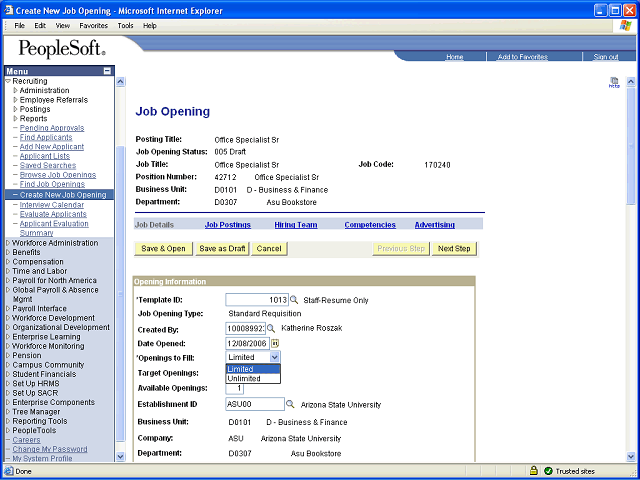
Click the Openings to Fill dropdown button to activate the menu.Select Limited for a Standard Requisition or Unlimited for a Continuous Opening Next Step
Table of Contents Press Alt + Left Arrow to return to the previous page